Creating a high-quality print-ready file for DTF transfers is essential for achieving optimal printing results. Although a print-ready PDF can be created in various graphic design programs, DTFprint.hr recommends using
CorelDraw or
Adobe Illustrator for the best precision and control. Here, we will guide you step by step through the process of creating a print-ready file for DTF transfers.
Key guidelines for the print-ready PDF:
File dimensions: The width of the PDF document should be 58 cm, while the length can be up to 100 meters; however, we recommend splitting longer files into segments of up to 15 meters for easier handling and better computer performance.
Formats and colors: Ideally, the file should be created in vectors (curves) using the CMYK color palette. You can also work in the RGB palette, since the RIP software we use supports RGB and reproduces colors correctly. The resolution should be 300 DPI for the best results. A combination of vector and raster elements is possible.
Guide to Preparing Print-Ready PDFs in CorelDraw
1. A new file 58 cm wide
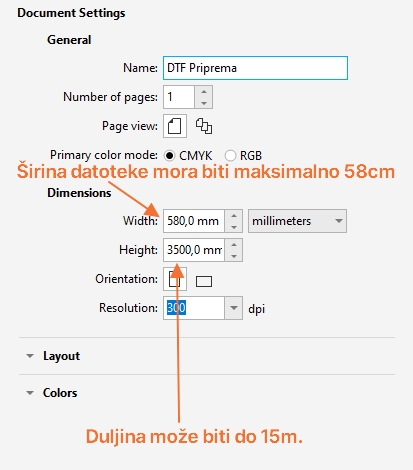
Create a new file in CorelDraw. Ideally, the color palette should be in the CMYK spectrum, at a resolution of 300 dpi.
Select 58 cm as the document width. In our example, we will use a length of 3.5 meters, i.e. 3500 mm, but you can enter whatever length you need. Keep in mind that the program may slow down if you have many elements, so we recommend creating files up to 15 m long.
2.a - If you are arranging several different graphics in a single file
Creating a so-called gangsheet that can contain many different designs
- Place elements such as JPEG, PNG, and SVG files within the workspace. Make sure the elements do not overlap and that there are no thin lines – the thinnest line we can print is 0.5 mm.
- If you use text, be sure to convert it to curves to avoid font problems.
- Do not mirror the elements – send them as a positive.
- Make sure that your elements are set to the dimensions you need
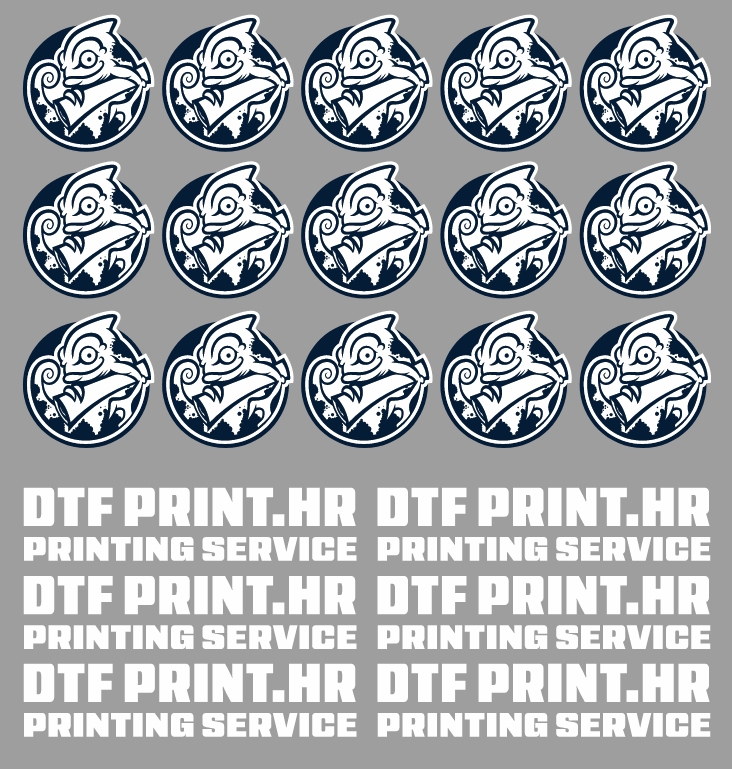
If you are working with white elements, it is useful to temporarily draw a square with a gray background and place it behind all layers so that the white elements are visible. Once you are satisfied with the arranged elements, you can delete the square.
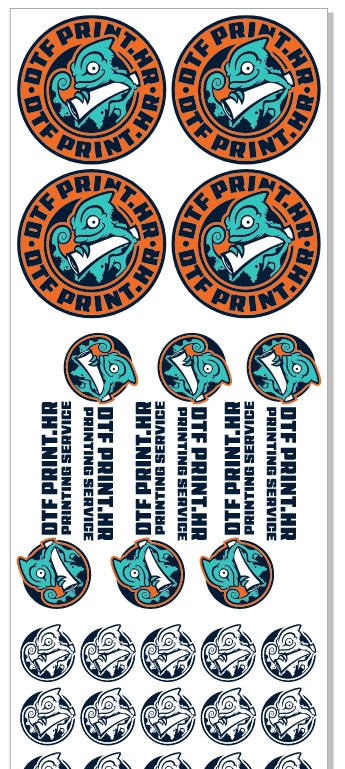
An example of arranged artwork ready to print
2.b - If you want to print a larger quantity of the same graphic
In the following example, we will show you how to create a print-ready file if you need a larger quantity of the same graphic without having to duplicate elements countless times. Let's say you need 300 identical transfers 8.5 centimeters wide. There is no need to duplicate all 300 transfers - it is enough to create a single row of transfers: open a new PDF document and set its length so that 6 transfers fit.
In our example, we created a file 58 cm wide and 9 cm long, which fits 6 transfers 8.5 cm wide.

Since we want to order 300 transfers, we need to print the above file 50 times. (300/6=50)
So that we know how many times to print your PDF file,
save it with a name such as: "dtfpriprema_printati_50x" or "dtfpriprema_50x".
3. Saving and uploading the PDF file
You can upload your files and place an order on our website by clicking
here.
The price of your transfers is calculated based on the total number of meters, i.e. centimeters, you order, according to the following table:

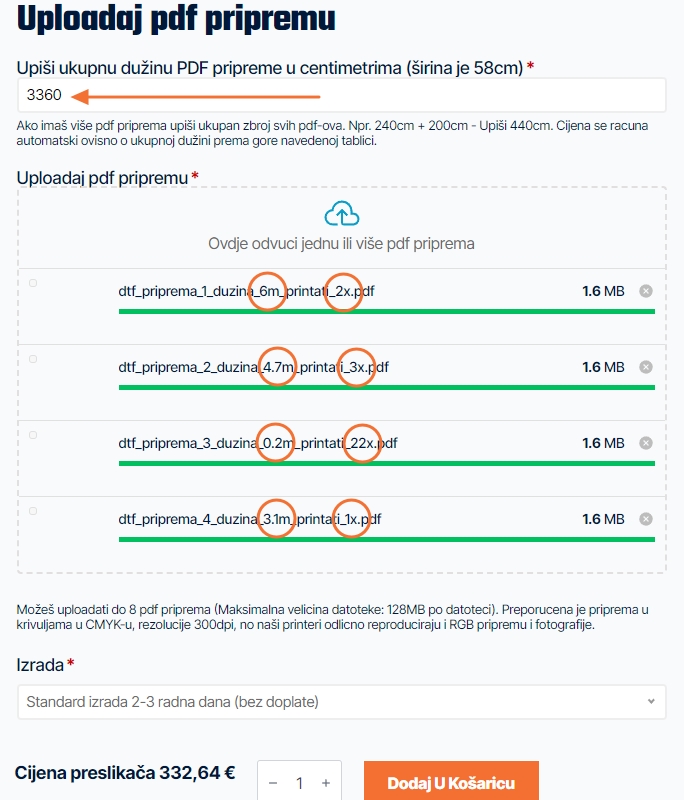
Once you are satisfied with your file, save it and give it an appropriate name depending on how many times it should be printed. If the number of prints is not indicated, we will assume the graphic is to be printed once. Select one or more PDFs and upload the files by dragging them into the designated box, or simply click on:

The files will be uploaded. Then, in the field "Upiši ukupnu dužinu PDF pripreme u centimetrima (širina je 58cm)" (Enter the total length of the PDF file in centimeters - the width is 58 cm), enter the combined length of all your files.
The price will be displayed at the bottom depending on the entered length. Please double-check that you have added up all your files correctly.
In our example, we uploaded: (6m*2) + (4.7m*3) + (0.2m*22) + (3.1*1) = 33.60m = 3360cm
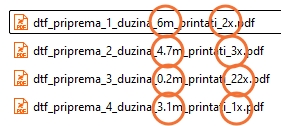
All that remains is to click "Dodaj u košaricu" (Add to cart) and proceed to payment. Once your payment is received, we begin checking, printing, and shipping your transfers.
Order DTF transfers online at the best price in Croatia
DTF transfer price list per linear meter (58 cm width)
1 linear meter 14,90€ from 1 to 10 linear meters 11,90€ 10 linear meters and more 8,90€ The price includes packaging in a waterproof PELD wrap and a protective cardboard box. The price does not include VAT.
Online DTF designer
For beginners
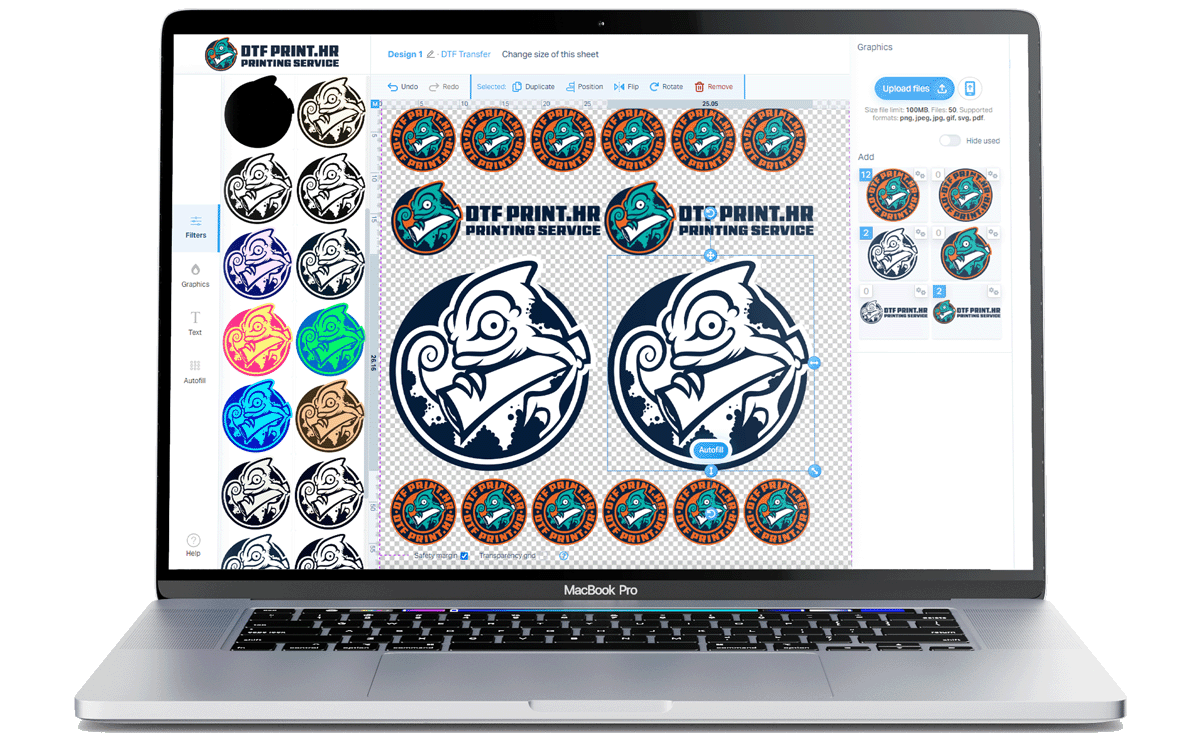
For beginners or those without design software, the DTFprint.hr online designer for creating transfer rolls is the perfect solution. With its user interface and a range of customization tools, creating transfers has never been easier.
 Open the online designer
Upload a print-ready PDF
For experienced users
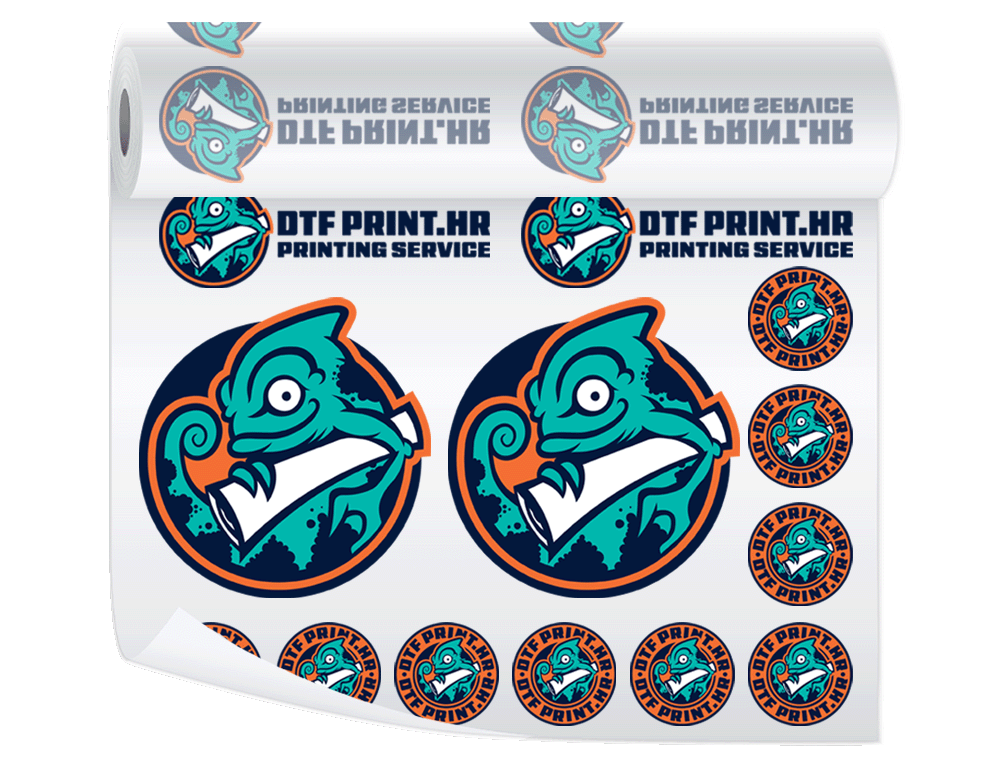
Upload one or more print-ready PDF files, enter the dimensions, and order DTF transfers for textile products with automatic price calculation based on the ordered length. More meters - more savings!
 Upload a print-ready PDF
 Secabo heat presses.
 Stahls heat presses.
DTF film 60cm/100m - 59,90€
Stahls heat presses.
DTF film 60cm/100m - 59,90€